


Put your phone on the desk. Tap Start simulation.
A few seconds later, a Live Activity slides onto your Lock Screen: your car just locked. Not a screenshot, not a mockup. The same Live Activity BetterKey will show you the day you park somewhere real and walk away.
That’s what the simulator is: two minutes of “yes, this is what it will feel like.”
Five moments, no car required#
The best things BetterKey does happen while you’re not looking. That makes them impossible to demo on a store page and easy to bounce off in the App Store.
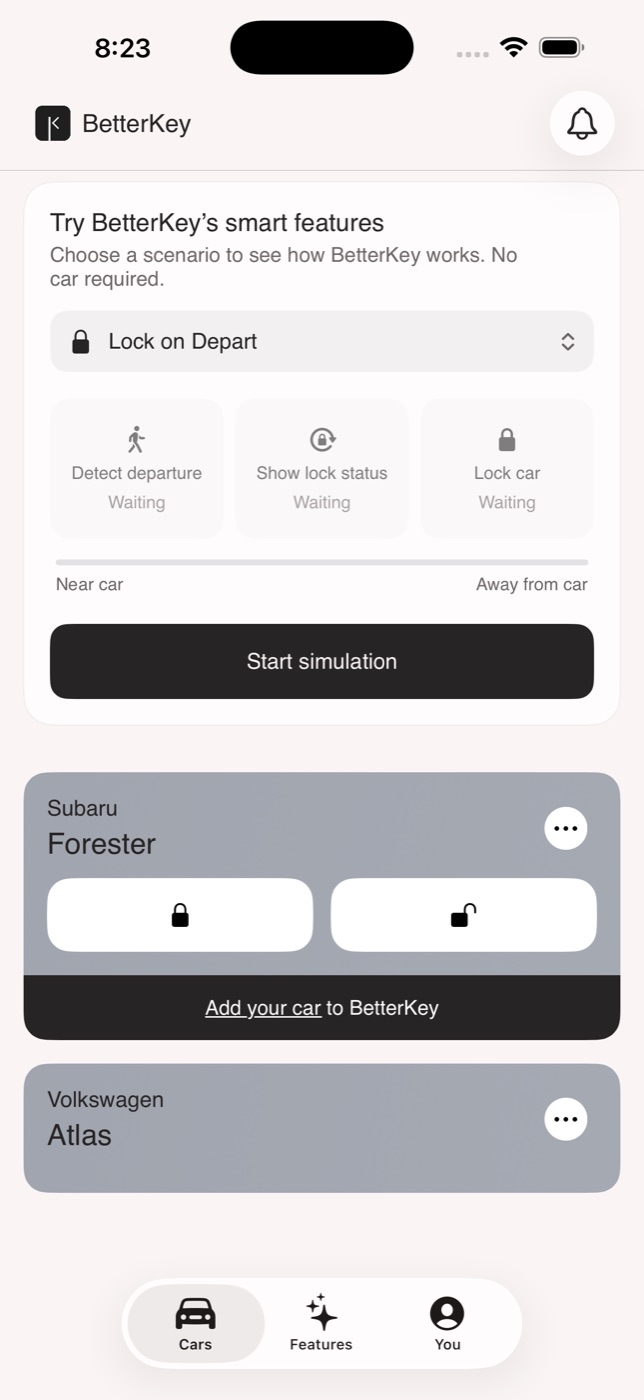
So we built a small simulator into the app. Sign in, tap Try demo on the Landing screen, and pick one of five scenarios:
- Park Location. You just parked. Watch BetterKey notice the drive is over and quietly save the spot for later.
- Find My Car. Six hours later, you can’t remember where you left it. A pin, distance, directions back.
- Lock on Depart. You walked away from the car. A Live Activity on your Lock Screen tells you BetterKey took care of the lock.
- Prompt to Unlock. You’re walking back toward the car. Before your hand hits the door, BetterKey is on your Lock Screen with a one-tap unlock ready.
- Open Window Alert. Weather turns. Your windows are still open. BetterKey tells you in time to do something about it.
The moment we most want you to feel#
You can read what BetterKey does. Nothing lands like watching it happen on your Lock Screen.
Lock on Depart and Prompt to Unlock both use Live Activities. That’s what makes them feel different from a normal notification: they appear on your Lock Screen as the moment is happening, not after.
The simulator uses the real thing. When you run either scenario, BetterKey creates an actual Live Activity on your Lock Screen, in the same slot, with the same layout. Pull your phone out of your pocket mid-simulation and you can watch it in the wild before you’ve ever connected a car.
No permissions asked#
Real BetterKey asks for a lot. Motion access. Always-on location. Notifications. A toggle per feature so you stay in control of which of these moments you actually want. Onboarding is real work, and it’s on purpose: each permission is what lets a feature actually run for you when the moment comes.
The simulator asks for none of it. No permission sheets, no toggles to flip, no car to connect. We built it that way on purpose too. You should get to see what the payoff feels like before we ask you to grant anything. If it’s worth it, the real one is right there. If not, you’ve spent two minutes learning we’re not for you, without handing anything over to find out.
When you’re ready for the real one#
The simulator lives inside the Cars screen, above two demo cars we preload so the scenarios have something to act on. You’re not staring at a placeholder waiting to become a customer. You’re already using the app.
When you’re ready for the real thing, the Add my car button is right there under the simulation you just ran. Same screen, same connect flow the rest of the app uses. One tap starts it.
Open BetterKey. Tap Try demo. Pick a scenario. Put the phone down and wait for it.
Then decide.
Try BetterKey free for 1 week.