BetterKey
BetterKey app icon

Activity

An app that watches your car
should show you
what it saw.

BetterKey is quietly doing things for you every day.
A lock confirmation. A parking pin saved. A window alert.
Activity is the receipt.

Tap the bell on the Cars screen and see the last seven days at a glance: recent BetterKey notifications, your Lock, Unlock, Start, and Stop taps, and automation updates.
Here’s the thinking behind it →

Try BetterKey free for 1 week.

Download on the App Store

Recent activity, in one place.

BetterKey works quietly in the background, and its confirmations are easy to miss. Activity brings recent notifications and the commands you tapped in the app into one list, newest first, so you can check what happened after the moment has passed.

What lands in Activity

  • Notifications BetterKey created on this device. Park Location saved, Open Window Alert, Prompt to Unlock, Lock on Depart completed. They stay readable even if you swiped them away too fast.
  • Commands from the Cars screen. Successful lock, unlock, start, and stop requests appear alongside the notifications they may create.
  • Automation updates. Park Location, Lock on Depart, Prompt to Unlock, and Open Window Alert entries make it easier to reconstruct what happened.
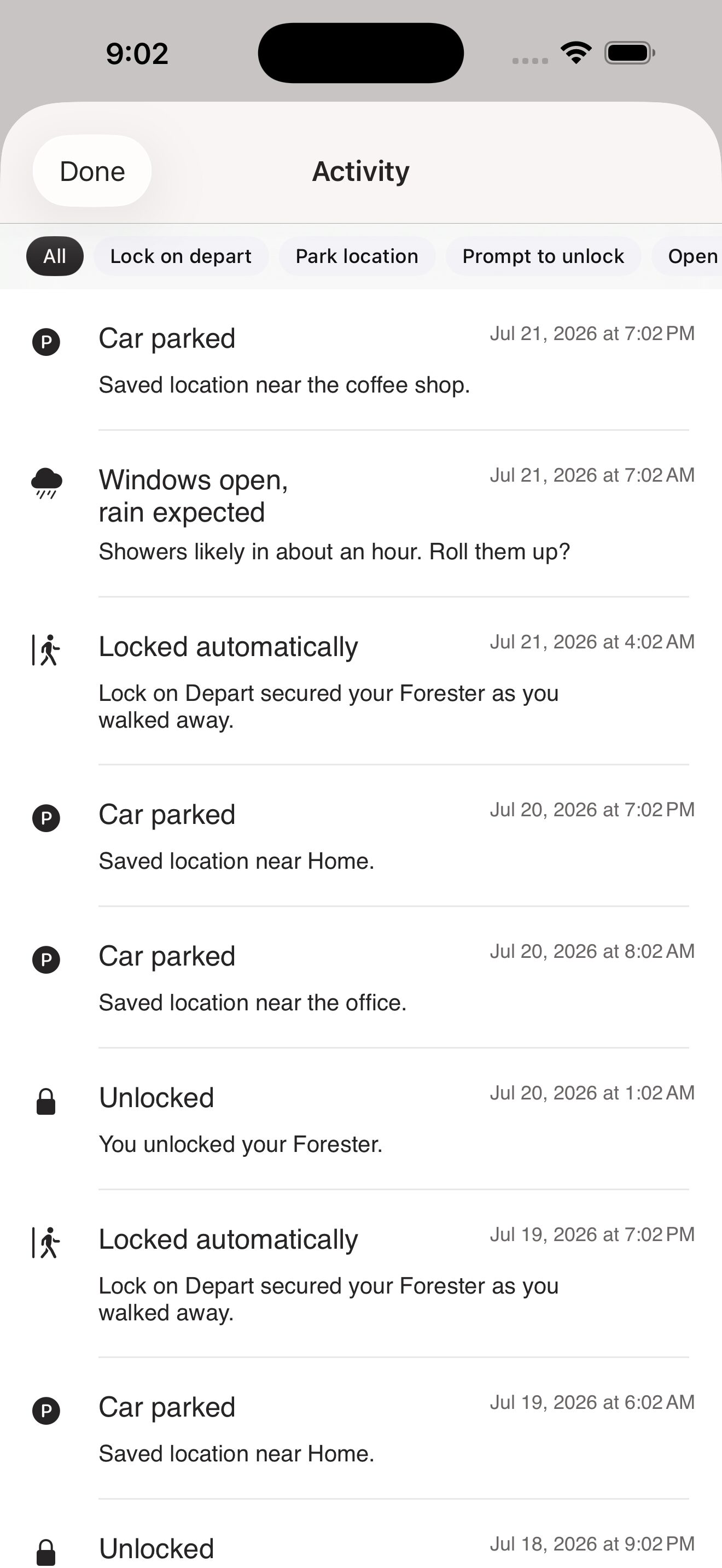
BetterKey Activity sheet listing recent park, lock, and window-alert events
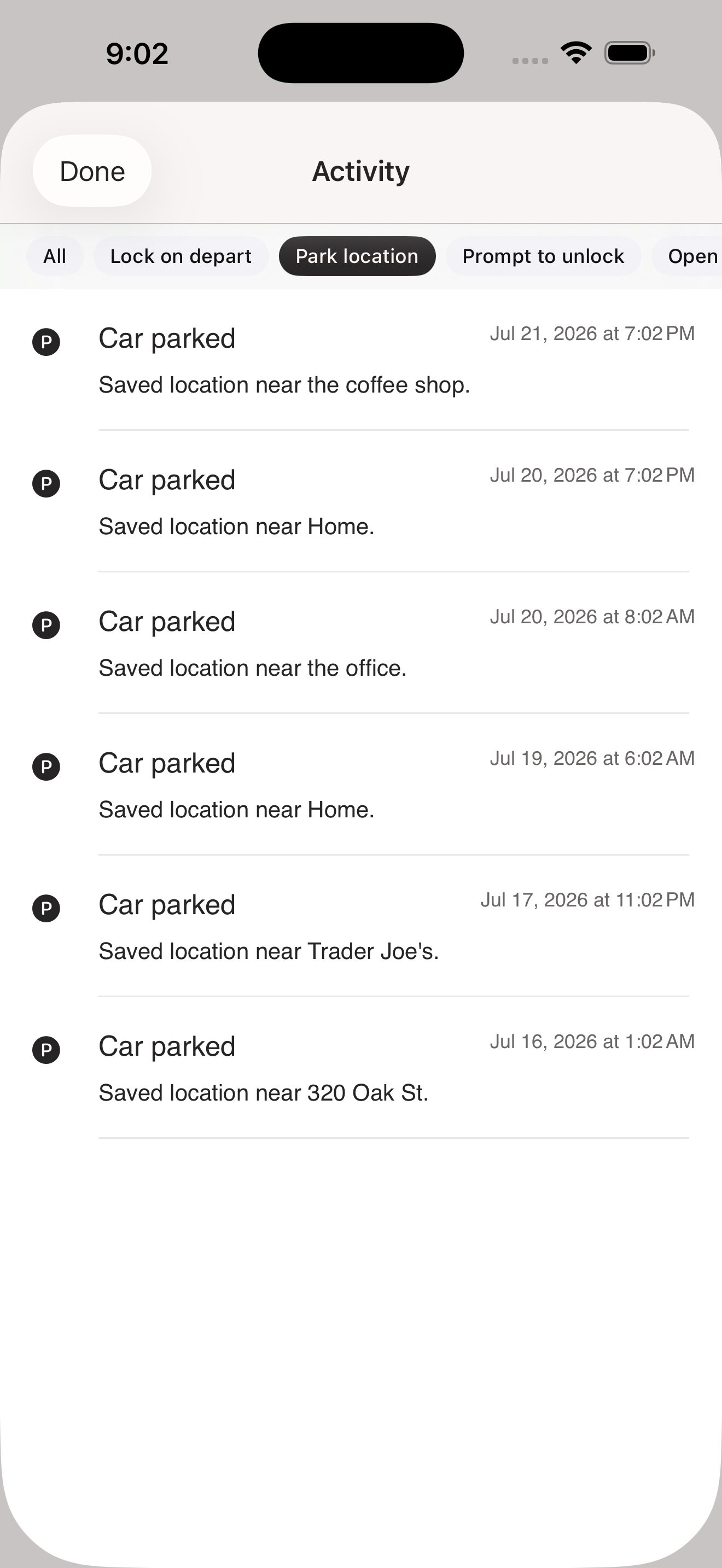
BetterKey Activity sheet with the Park location filter selected

Seven days. Then gone.

Activity keeps the last week. Not the last year, not the last month. Enough to answer "wait, when did that happen?" without turning into a permanent record we’d have to defend keeping. Older entries drop off on their own.

A few things worth knowing

  • Activity lives on your device. Nothing about what your car did, or what you asked it to do, is sent to a server for this feature.
  • Filter chips at the top narrow the list by feature: Lock on Depart, Park Location, Prompt to Unlock, Open Window Alert, Commands.
  • Long-press any row to copy it if you want to share what happened with support or with yourself.

FAQs

What is Activity? +

Activity is a seven-day record of recent BetterKey notifications created on this device and successful commands from the Cars screen. It sits behind the bell in the top right of the Cars screen.

Why only seven days? +

Seven days is enough to answer "wait, when did that happen?" without turning Activity into a permanent history of your movements. When a row falls out of the window, it’s gone. If we ever want to keep more, we’d want to tell you why.

Does BetterKey send this to a server? +

No. Your Activity never leaves your device. It’s written to and read from your phone, and BetterKey does not sync it or keep a server-side copy. Uninstalling the app clears it. Signing out clears it. Rows older than seven days drop off on their own.

See our Privacy Policy for full details.

What if I never noticed the notification? +

That’s exactly what Activity is for. Even if you swiped a notification away without reading it, the row stays for seven days so you can catch up later.

Can I turn Activity off? +

Not as a toggle. Older entries drop off after seven days, and signing out clears the list. Activity itself is a core part of the app rather than an opt-in feature. If you have thoughts on that, we’d like to hear them.

Try BetterKey free for 1 week.

Download on the App Store