BetterKey
BetterKey app icon

Prompt to Unlock

Walking back to your car.
Hands full.
BetterKey is ready.

You parked, ran an errand, and now you’re walking back.
The car is still locked.
You’d rather not fish for your keys.

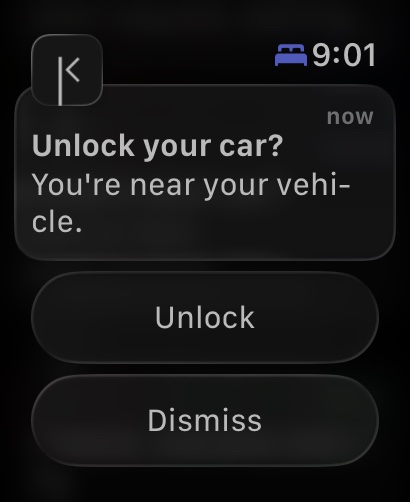
When BetterKey notices you’re approaching your parked car on foot, it surfaces an unlock on your Lock Screen and Apple Watch. Tap it. Open the door.
Here’s how it works →

Try BetterKey free for 1 week.

Download on the App Store

It shows up only when it should.

Driving past your car at a stoplight isn’t walking up to it. Prompt to Unlock waits for two signals to line up: you’ve come within range of the spot where your car is parked, and your phone’s motion looks like walking, not driving. If both are true, a Live Activity appears on your Lock Screen and an Unlock notification arrives on your Apple Watch. If you’re just passing through, it stays out of your way.

What it watches

  • Where your car is parked. Built on Park Location, so the approach ring is anchored to the actual parked spot, not where you last opened the app.
  • How you’re moving. CoreMotion tells BetterKey when you’re walking versus driving. Driving past your car doesn’t trigger anything.
  • When you act or move on. The Live Activity ends when you tap Unlock and the car responds, or when your motion changes back to driving.
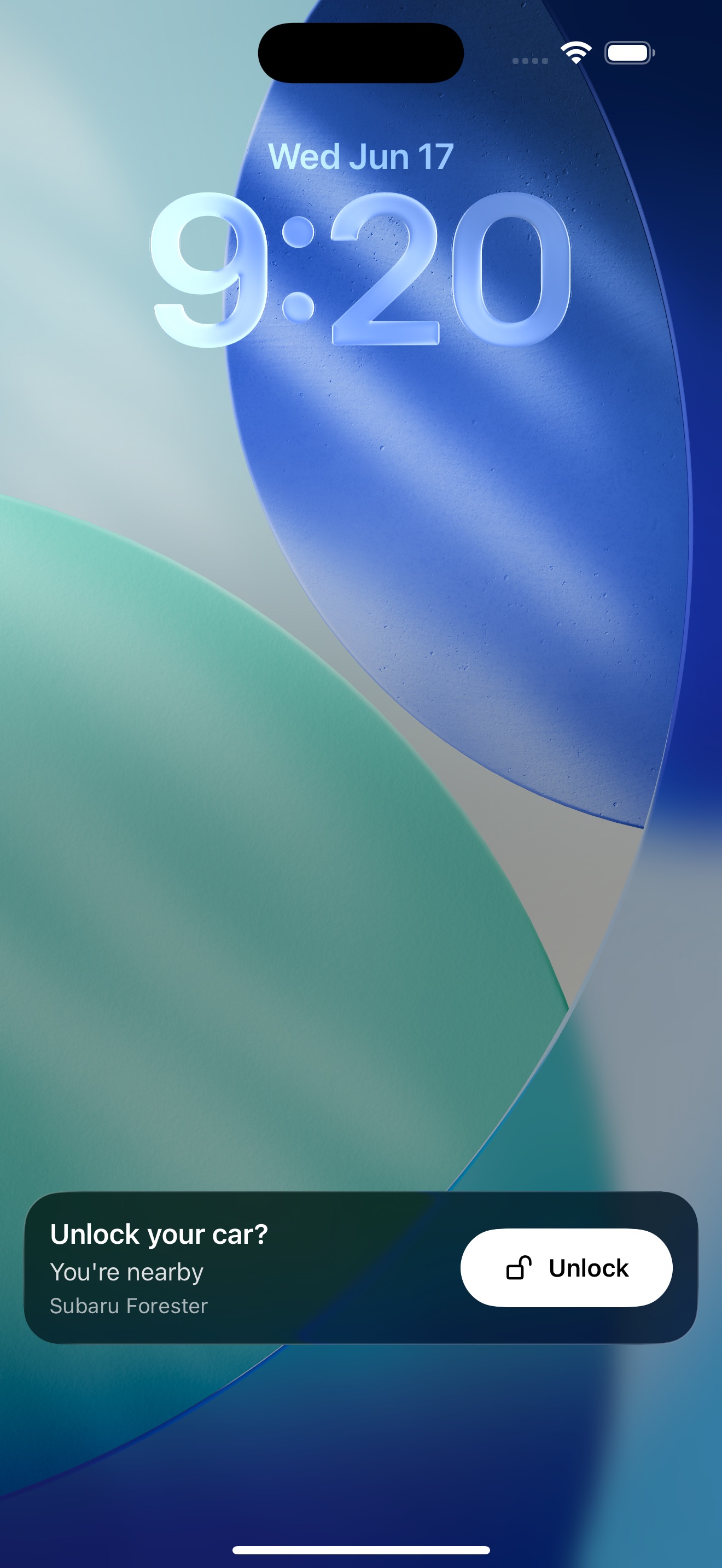
BetterKey lock screen showing a Prompt to Unlock Live Activity with an Unlock button
Apple Watch Ultra 2 showing the BetterKey Unlock notification
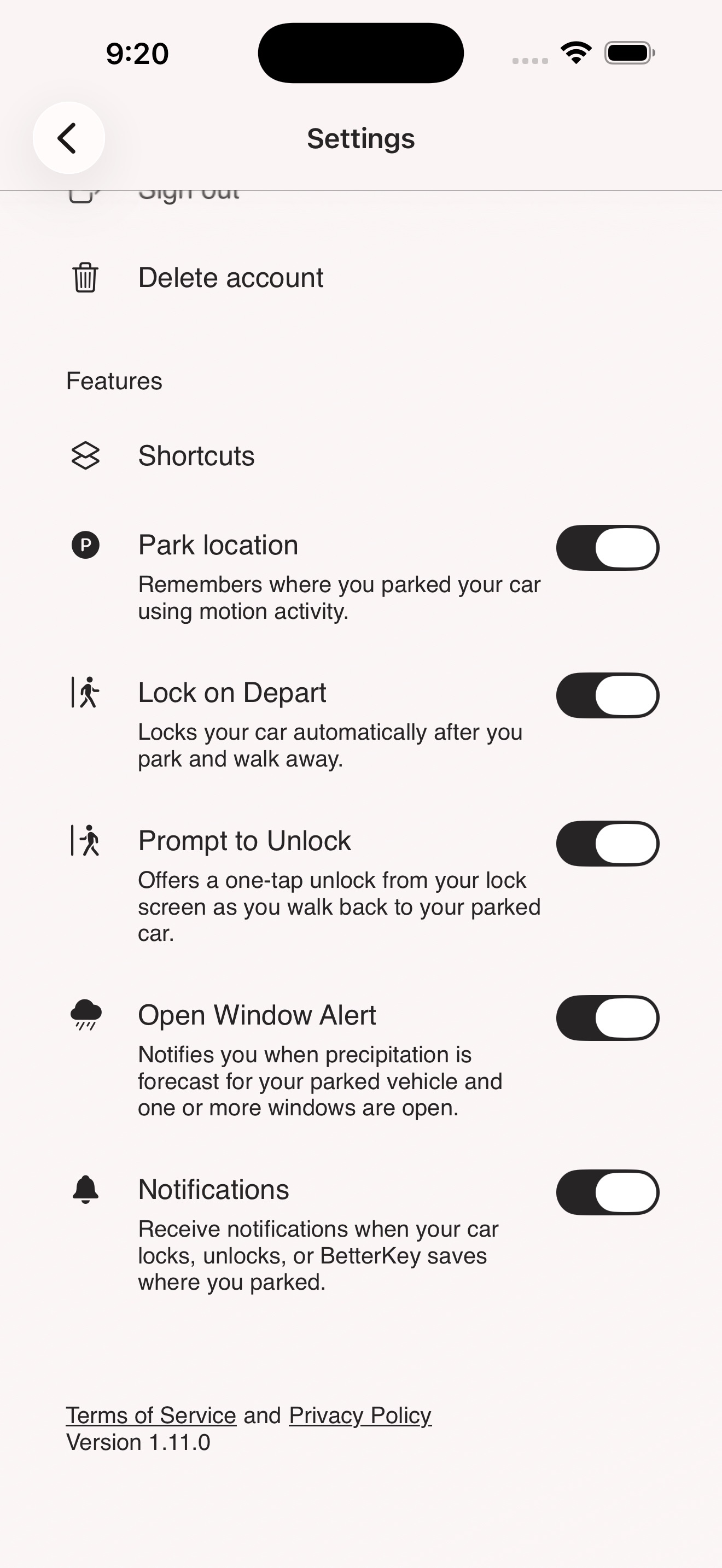
BetterKey Settings showing the Prompt to Unlock toggle

You decide when it’s on

Prompt to Unlock stays off until you switch it on. The toggle lives in Settings, alongside Park Location and Lock on Depart. The first time you flip it on, BetterKey asks you to turn on Park Location too. That’s how BetterKey knows where your car is parked. Turn either off and Prompt to Unlock quietly stops.

A few things worth knowing

  • Your parking location stays on your device. The approach ring is computed locally.
  • BetterKey never unlocks the car on its own. The Live Activity offers the action; you decide whether to tap it.
  • Available for compatible connected vehicles. If your car isn’t supported, this feature stays out of the way.

FAQs

What is Prompt to Unlock? +

Prompt to Unlock offers a one-tap unlock when BetterKey notices you’re walking back to your parked car.

On iPhone, it appears as a Lock Screen Live Activity. On Apple Watch, it arrives as an Unlock notification. Tap Unlock and BetterKey sends the unlock command to your car.

Will BetterKey unlock my car on its own? +

No. Prompt to Unlock is exactly what it sounds like: a prompt. BetterKey only sends the unlock command after you tap Unlock.

If you don’t tap, BetterKey doesn’t unlock the car.

What does Prompt to Unlock need to work? +

Prompt to Unlock needs three things: Park Location enabled, Motion & Fitness access on your iPhone, and a compatible connected vehicle.

If Park Location isn’t already on, BetterKey walks you through enabling it the first time you turn on Prompt to Unlock.

What if I drive past my own car? +

Nothing. Driving doesn’t trigger the prompt.

BetterKey checks your motion as you approach the parked location and only shows the prompt when it looks like you’re walking back to the car. If your motion changes back to driving while the prompt is up, it ends.

Does this work with my car? +

Prompt to Unlock requires a compatible connected vehicle that supports remote unlock. You can check whether your car is compatible in a few seconds.

If your car doesn’t support Prompt to Unlock, the rest of BetterKey continues to work as usual.

Try BetterKey free for 1 week.

Download on the App Store