BetterKey
BetterKey app icon

Find My Car

Park anywhere.
Find your way back.

A different garage level. A side street you don't usually take. A packed lot at the airport.

BetterKey drops a pin on your car's last reported location and shows you next to it. Walk back, or call a ride. Read how it works →

Try BetterKey free for 1 week.

Download on the App Store

Where you left it

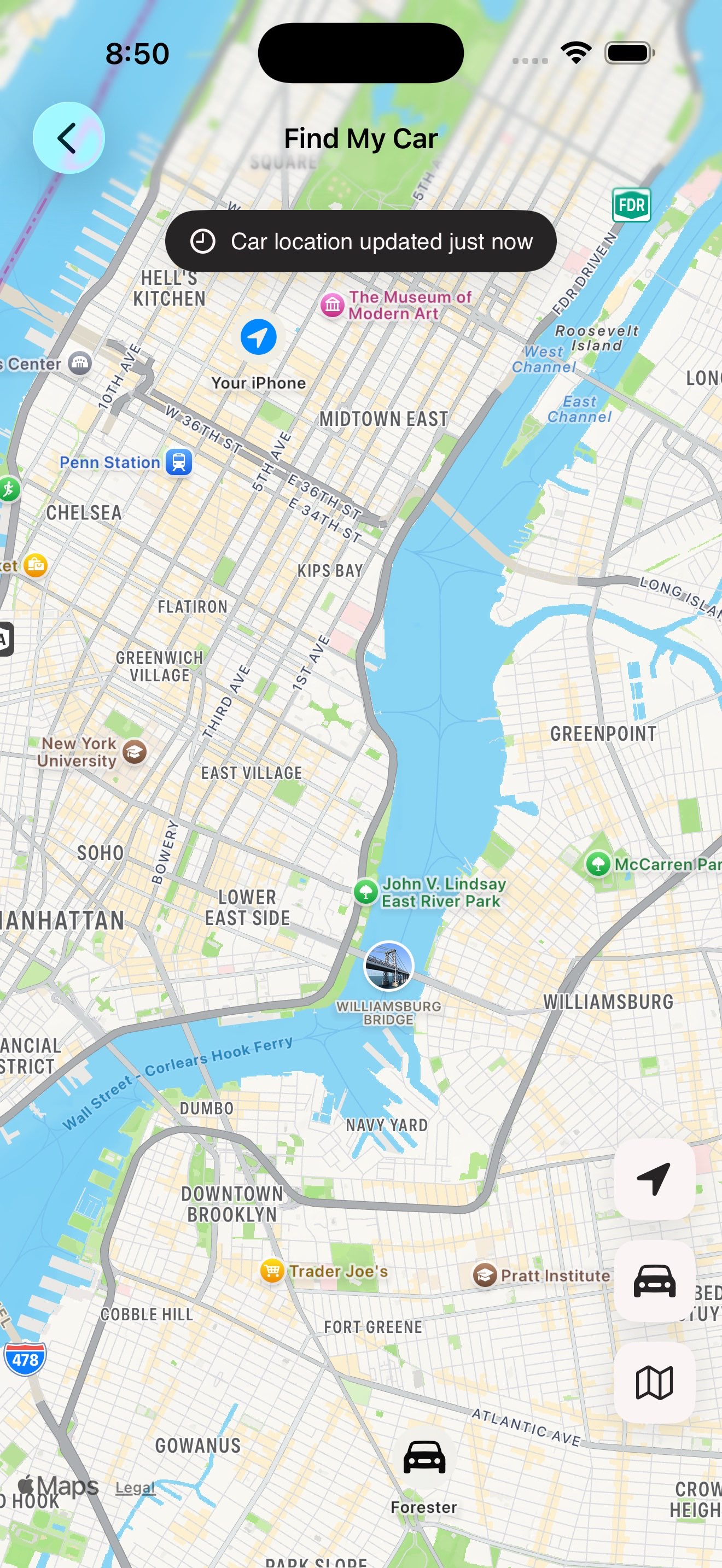
Open Find My Car. BetterKey drops a pin on your vehicle's last reported location and shows you next to it on the same map. A timestamp tells you exactly how current the answer is.

What to expect

  • If something doesn't look fresh, tap refresh and BetterKey asks the car directly.
  • If the location isn't available yet, BetterKey tells you plainly instead of pretending.
  • Location is requested only when you open Find My Car. No background tracking.
BetterKey Find My Car screen showing a pin on the vehicle and the user's current location
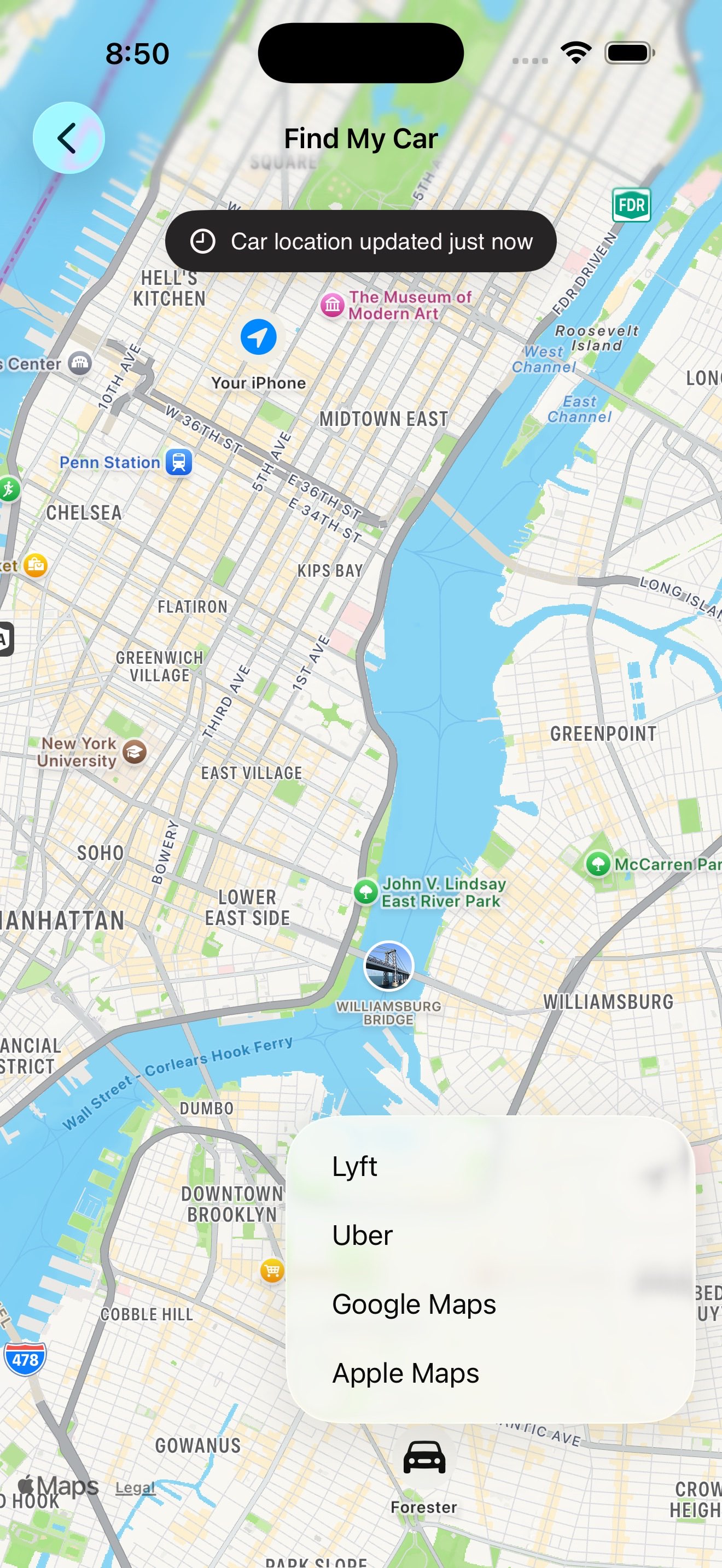
BetterKey directions menu showing Apple Maps, Google Maps, Uber, and Lyft

Walk, or call a ride

Tap directions and BetterKey hands off to the app you already use. Walking directions in Apple Maps or Google Maps. A ride in Uber or Lyft, with the car's location already filled in as your dropoff.

When it matters

  • The third level of a parking deck where every level looks the same.
  • A valet who took your keys two hours ago and put the car somewhere out of sight.
  • A long event, a packed lot, and the sun went down while you were inside.

On your wrist, too

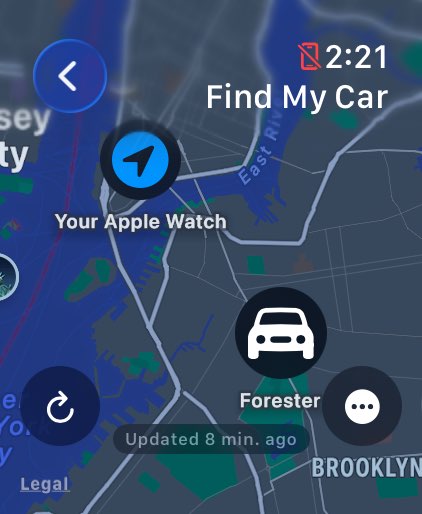
Leave the phone in your bag. Glance at your wrist. The map shows the car, your location, and how recently we checked. Tap directions and Apple Maps takes over.

Useful when your hands are full and your phone isn't.

Apple Watch Ultra 2 showing BetterKey Find My Car with the vehicle's location on a map

FAQs

Is Find My Car live tracking? +

No. Find My Car shows your vehicle's last reported location, along with a timestamp so you can tell how fresh it is. If the location looks old, tap refresh and BetterKey asks the car for an updated answer.

How does Find My Car know where my car is? +

Find My Car uses two location sources: your vehicle's last reported location and, if you allow it, your device's current location.

The car pin comes from your vehicle's connected services. The timestamp shows when the vehicle last reported that location. Your location is only used to show where you are on the same map while Find My Car is open.

You do not need to share your device's location to see your car's reported location. Sharing it only adds your position to the map while Find My Car is open.

Does this work with my car? +

Find My Car works when your vehicle can report its location through its connected services. If your car is supported in BetterKey and grants location access during connection, BetterKey can show the location your vehicle provides.

Which map and rideshare apps work with BetterKey? +

BetterKey works with Apple Maps and Google Maps for walking directions, and Uber and Lyft for rides. When you choose one, BetterKey opens that app with your car's reported location filled in as the destination.

Does Find My Car work on Apple Watch? +

Yes. Once your vehicle is connected on iPhone, it shows up in BetterKey on Apple Watch too. The watch shows the car, your location when available, and the last-checked timestamp. Tap directions and Apple Maps takes over.

Does BetterKey track my location in the background? +

No. Find My Car only uses your device's location while the map is open, so it can show you next to the car on the same map.

See our Privacy Policy for full details.

See the step-by-step guide with screenshots →

Try BetterKey free for 1 week.

Download on the App Store